Ninja Cam
A Windows Phone camera app disguised as a webpage.
Facts
| Documented by | Platform | Code |
|---|---|---|
| March 2012 | Windows Phone | Recovered from my backup; unpublished |
The story
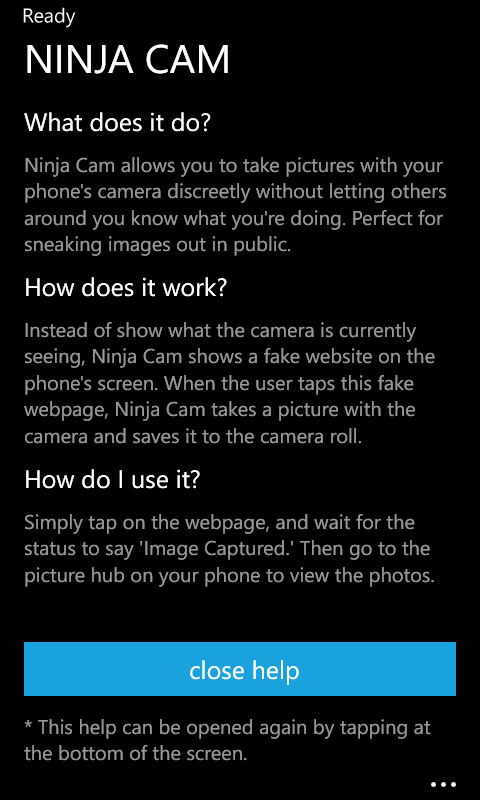
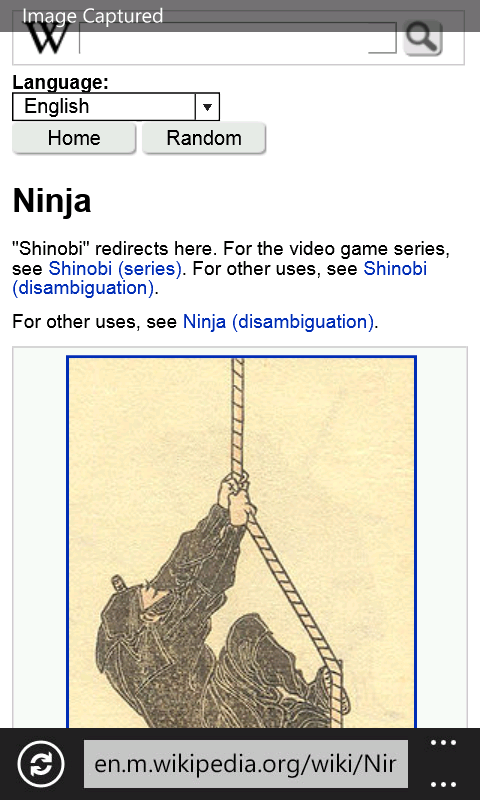
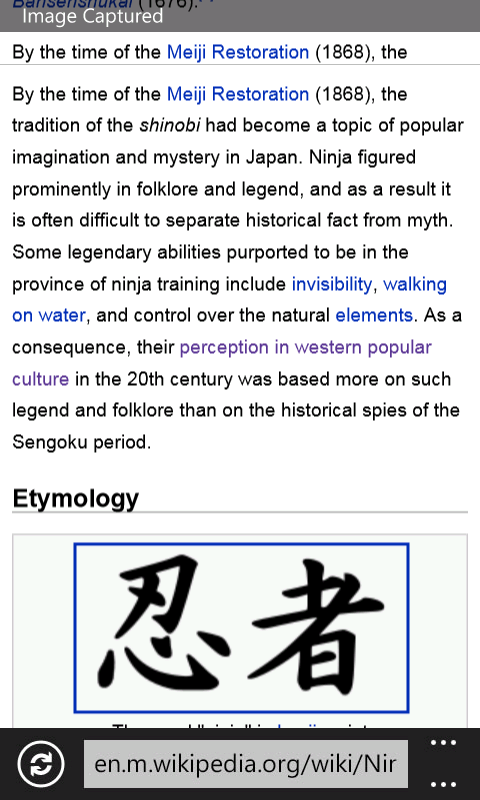
Ninja Cam was a camera app in disguise. Instead of a camera preview, it showed an interactive fake webpage. Tap the screen and it quietly snapped a photo with the rear camera and saved it to the Camera Roll, while anyone looking just saw ordinary web browsing. It sat alongside Baconit and Next Bus on my original homepage, and the Marketplace listing still has my original description.
Version, compatibility, and early reviews
The Marketplace page, as saved on March 16, 2012, lists a free, English-language app for Windows Phone 7.5 or later:
- Version: 1.5.0.0.
- Download: 1 MB.
- Release date listed: February 29, 2012 (this may have been an update rather than the first release).
- Also saved: six early ratings and three screenshot references.
Someone asked for video recording, but my description only mentions still photos.
My backup also has an unfinished Windows 8 port. It starts a camera preview and recreates the browser disguise, but the capture button is still a placeholder that just writes some text to a file you pick. As far as I know, it was never released.
Original Screenshots
I found these three original screenshots with the Windows Phone source and release packages in my project backup.
Original Record
My April 2012 product page still said “This page is coming soon,” but its Marketplace link led to the full description. (For the record, the app's Marketplace ID is 37ce9ea8-0c67-48b6-bd2a-ab055855eb49.) The rest of that homepage lives in the website archive.
Further Reading & Media
Marketplace record and original page
- Ninja Cam on the Windows Phone Marketplace — Microsoft, March 16, 2012 Wayback capture. Quinn's original description, version 1.5.0.0, compatibility details, screenshot references, and early reviews.
- Ninja Cam — original product page — April 16, 2012 Wayback capture. The short announcement page and original Marketplace link, with a local copy linked above.